Free and Pro for WordPress
The WordPress security plugin that locks it all down.
Stack Guard hides your login, stops password guessing, blocks bad traffic, scans for malware and keeps backups it has actually checked, all from one clean dashboard. A WordPress security plugin made for developers and agencies: free forever, with Pro when you want more.
- No account needed
- WordPress 6.4+
- PHP 8.0+
- Pro from $95 a year
94
/100 · A
Live activity
- Blocked sign-in attempt185.220.x.x, 5 tries
- wp-login.php hiddenvisitors see a 404
- Two-factor requiredall administrators
- Malware scan finishedcore files match
- Backup verifiedevery row counted
$0
To start: Free forever on every site, no key
100%
Of backups checked file by file before they count
0%
Price increase at renewal, ever
7 days
To undo any restore
Who it is for
One WordPress security plugin, three kinds of people
Take the tour
See the plugin in action
Real screens from Stack Guard, protecting a busy site. Click through, let it play, or open the live demo and try every tab yourself.
Dashboard
Your security, scored
A score out of 100 from real checks, the next fix to make, and one-click quick actions on Pro when something looks wrong.
Learn more
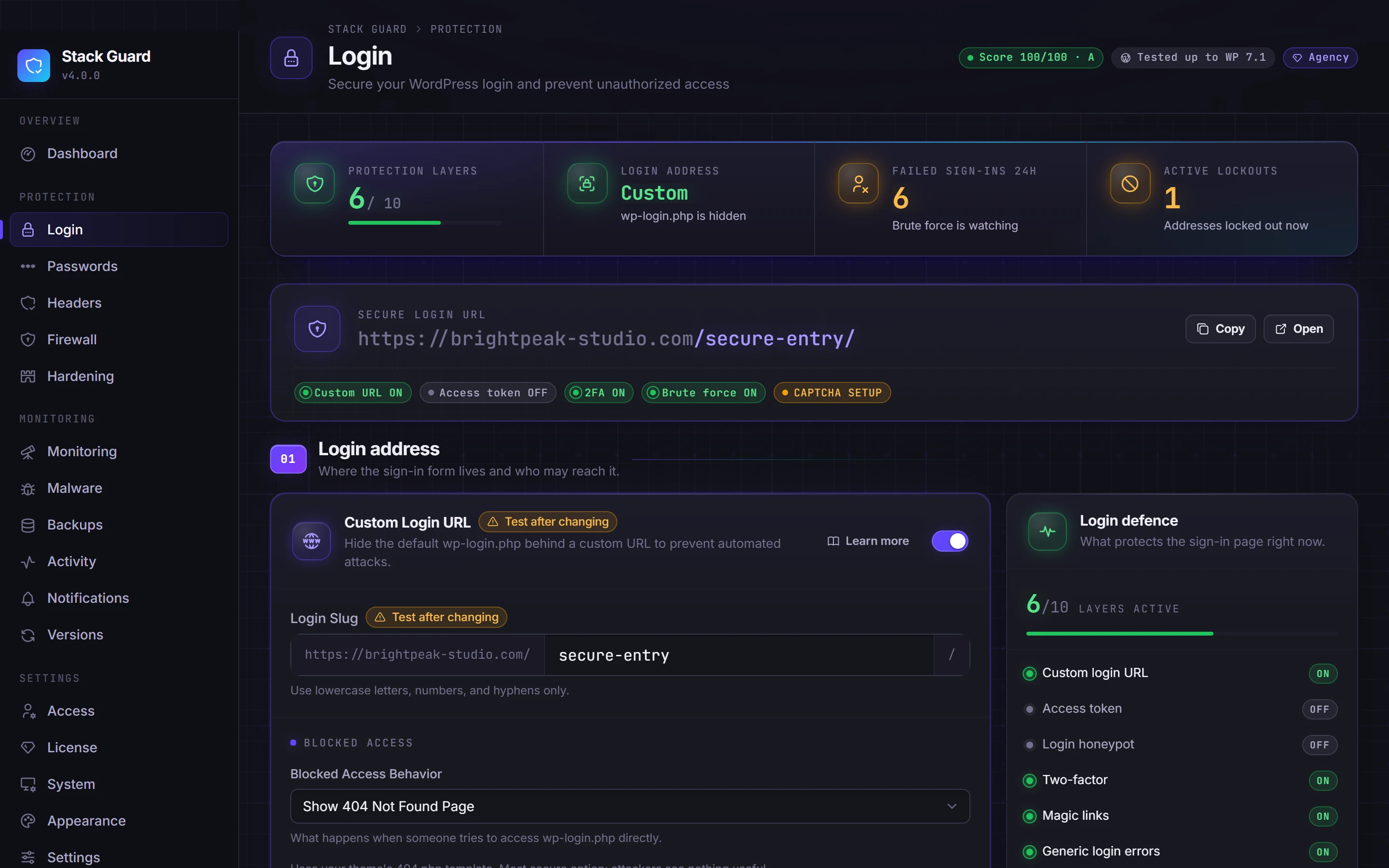
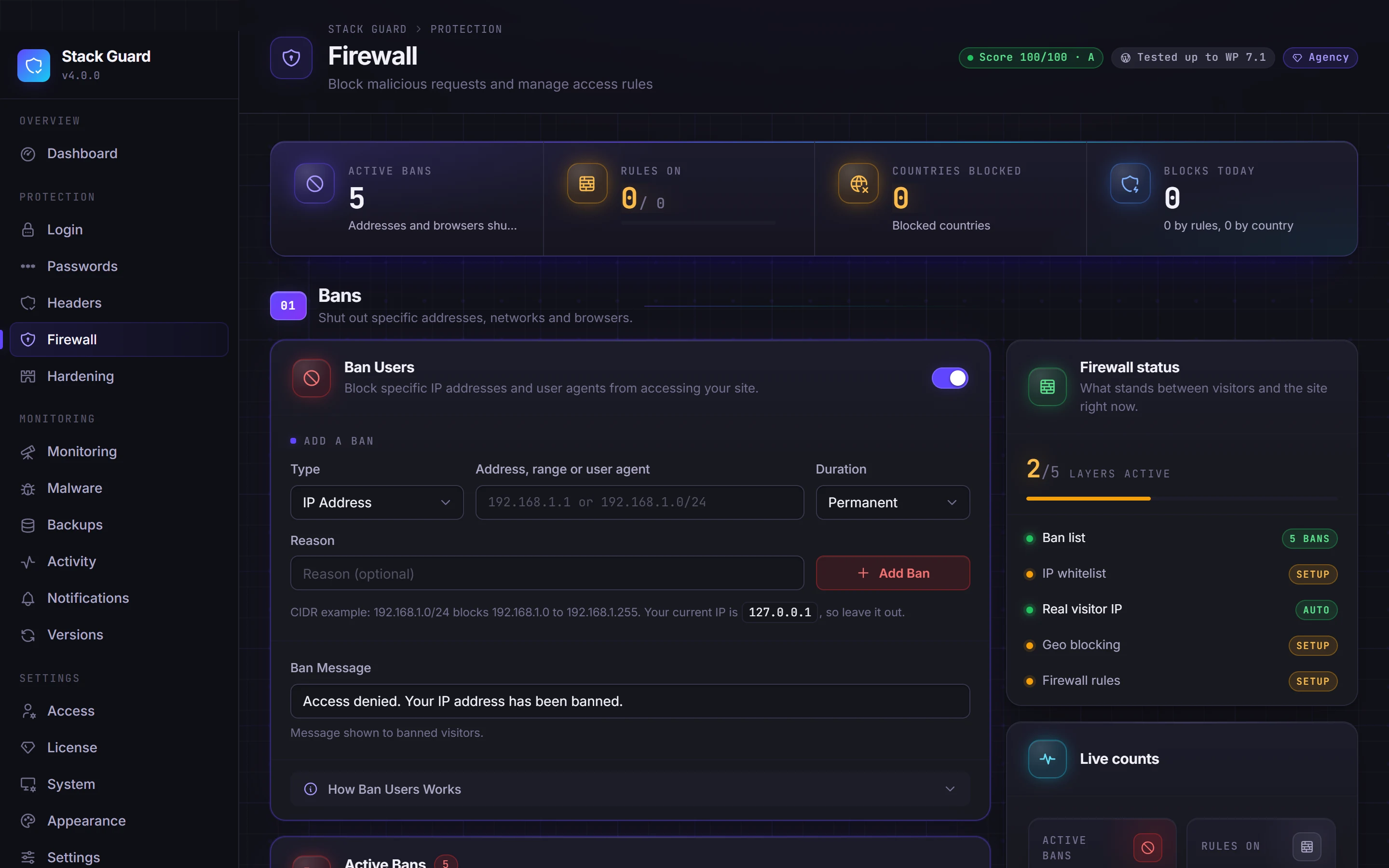
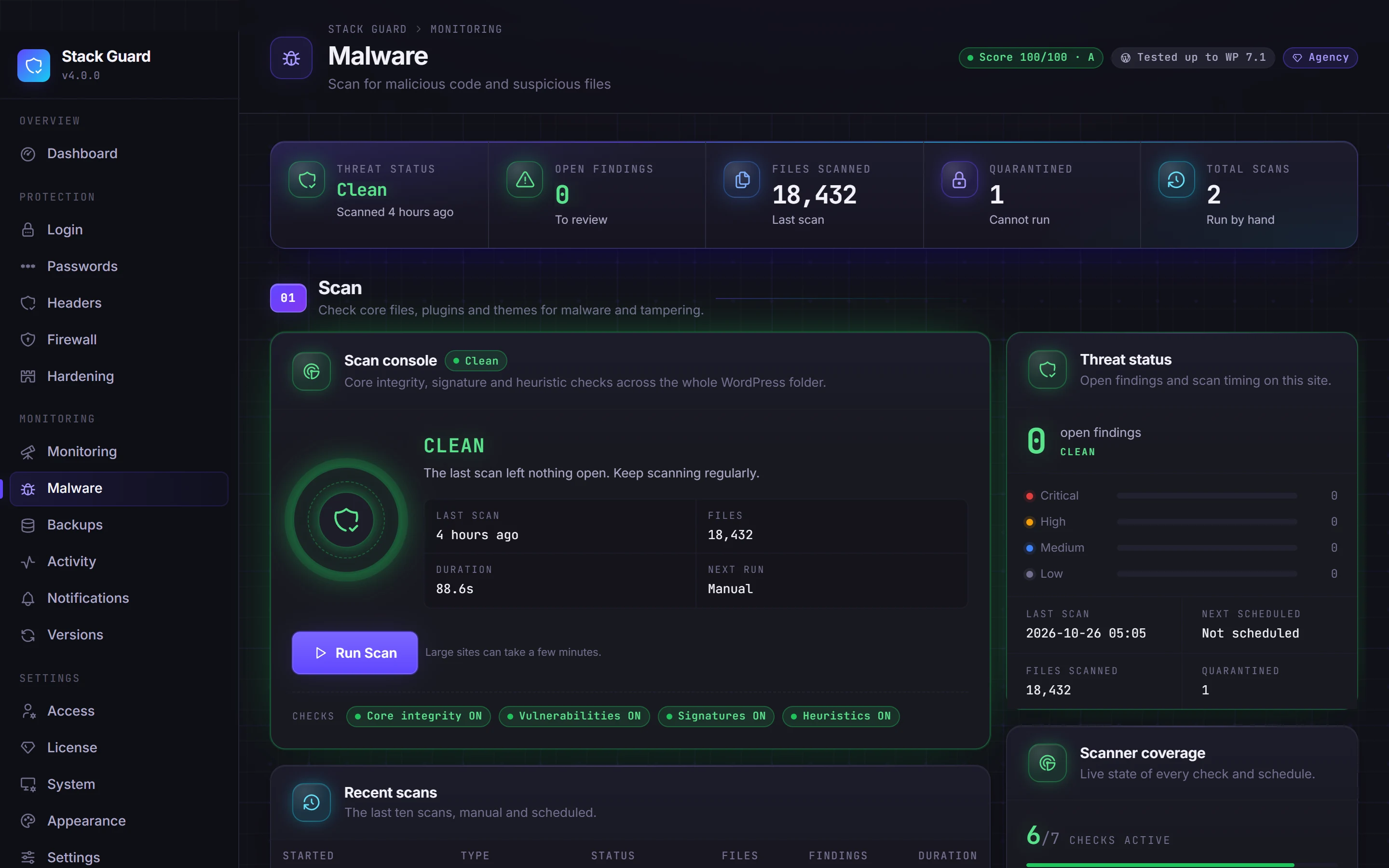
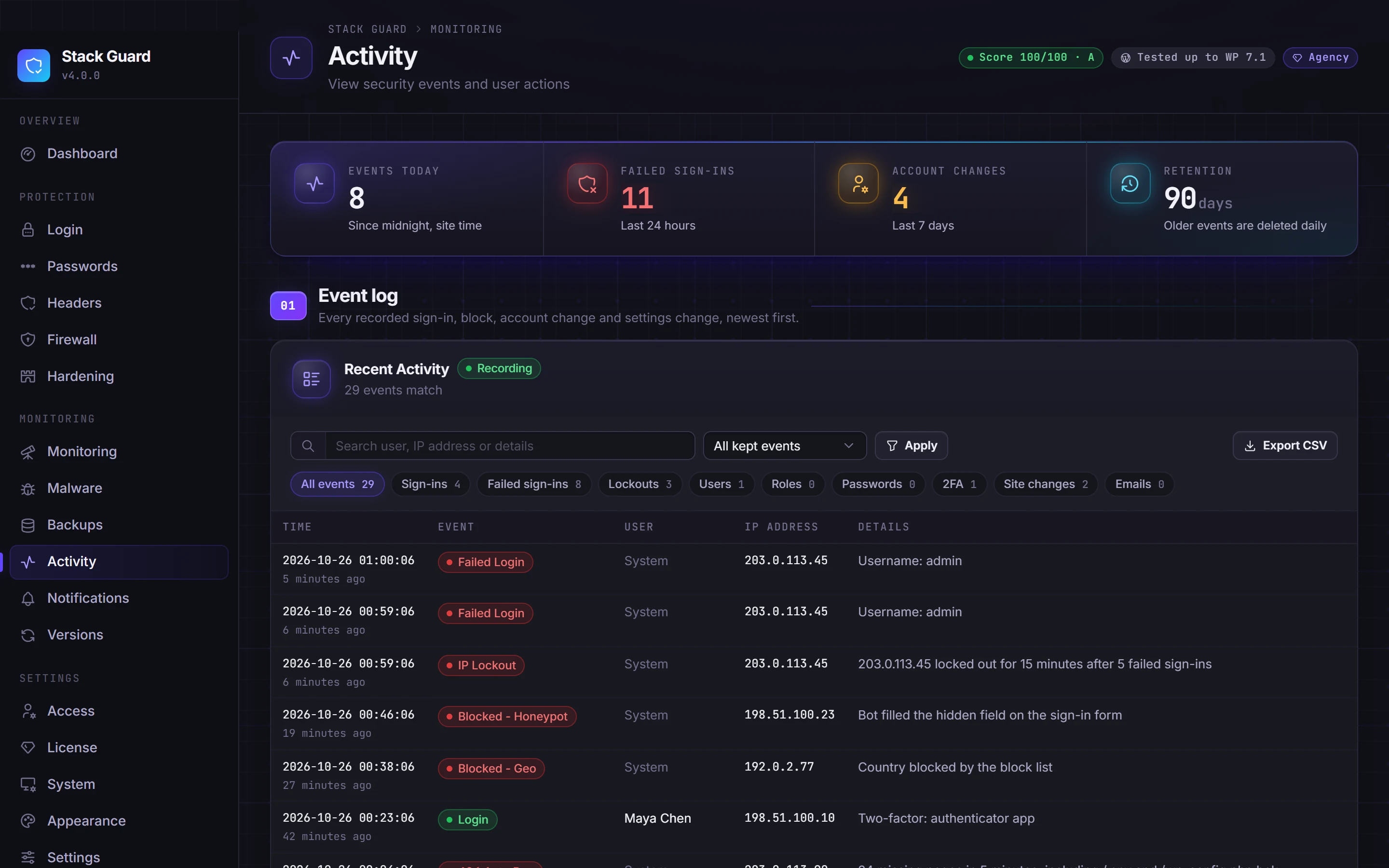

01 / Protect
Shut the doors attackers try first.
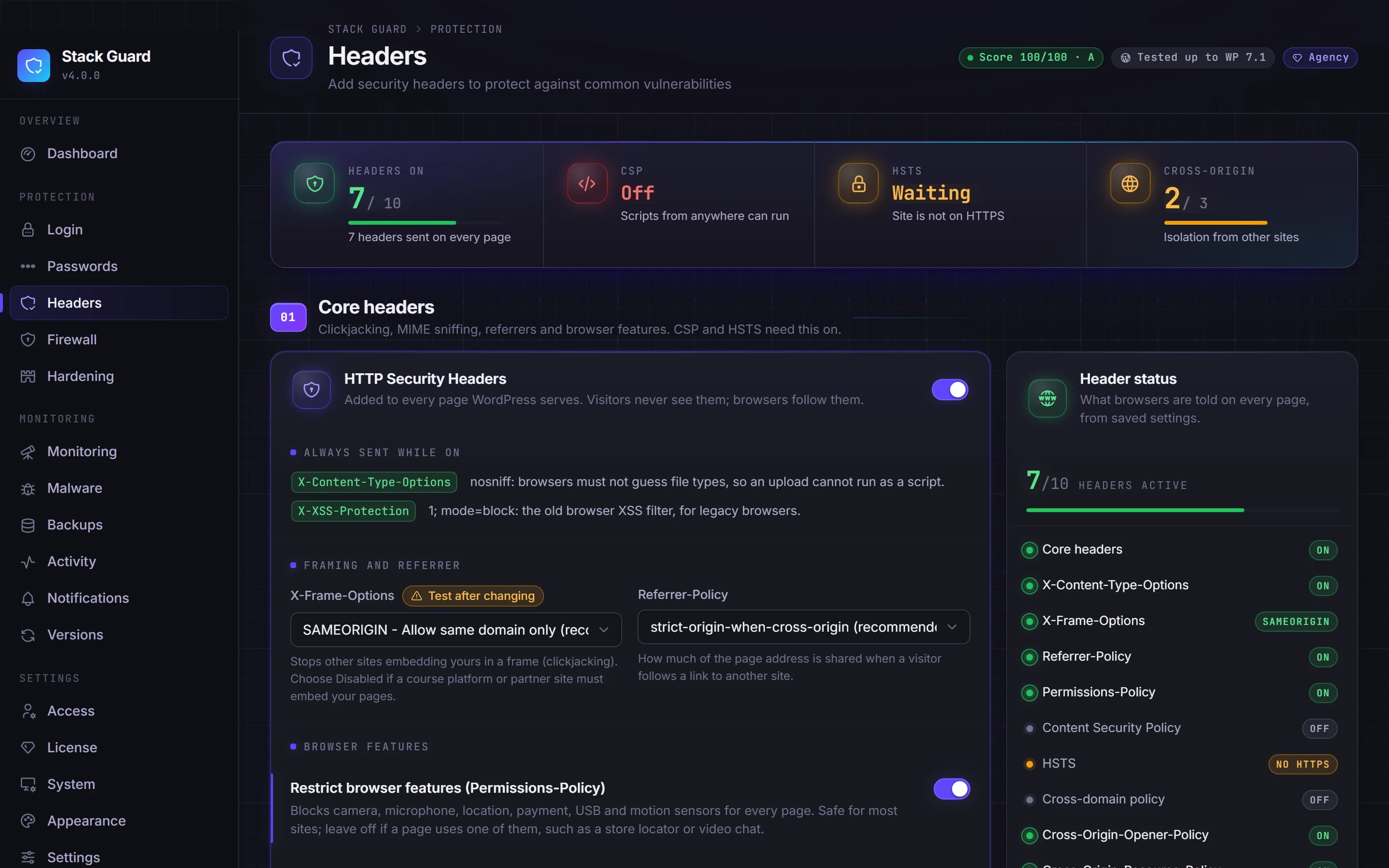
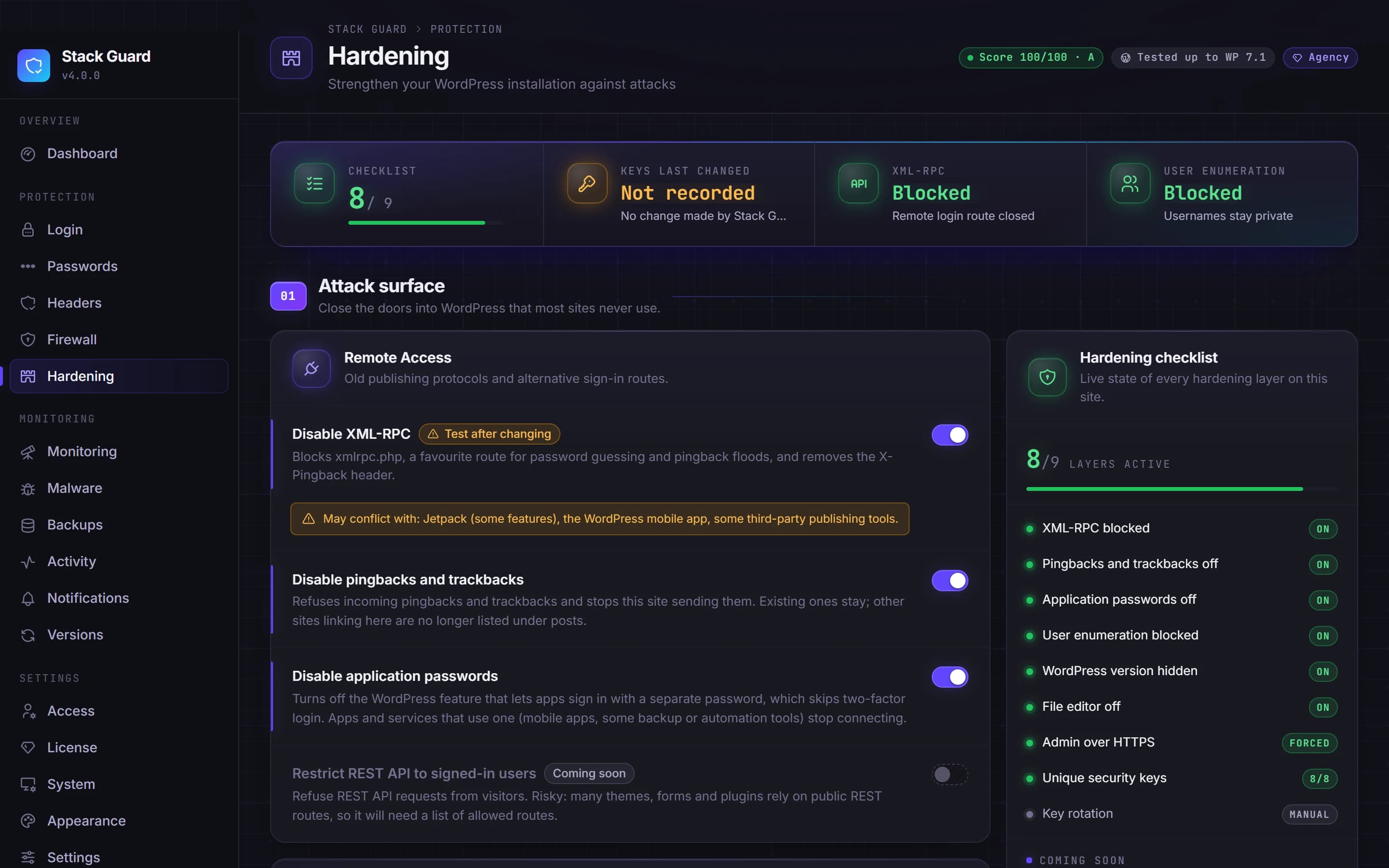
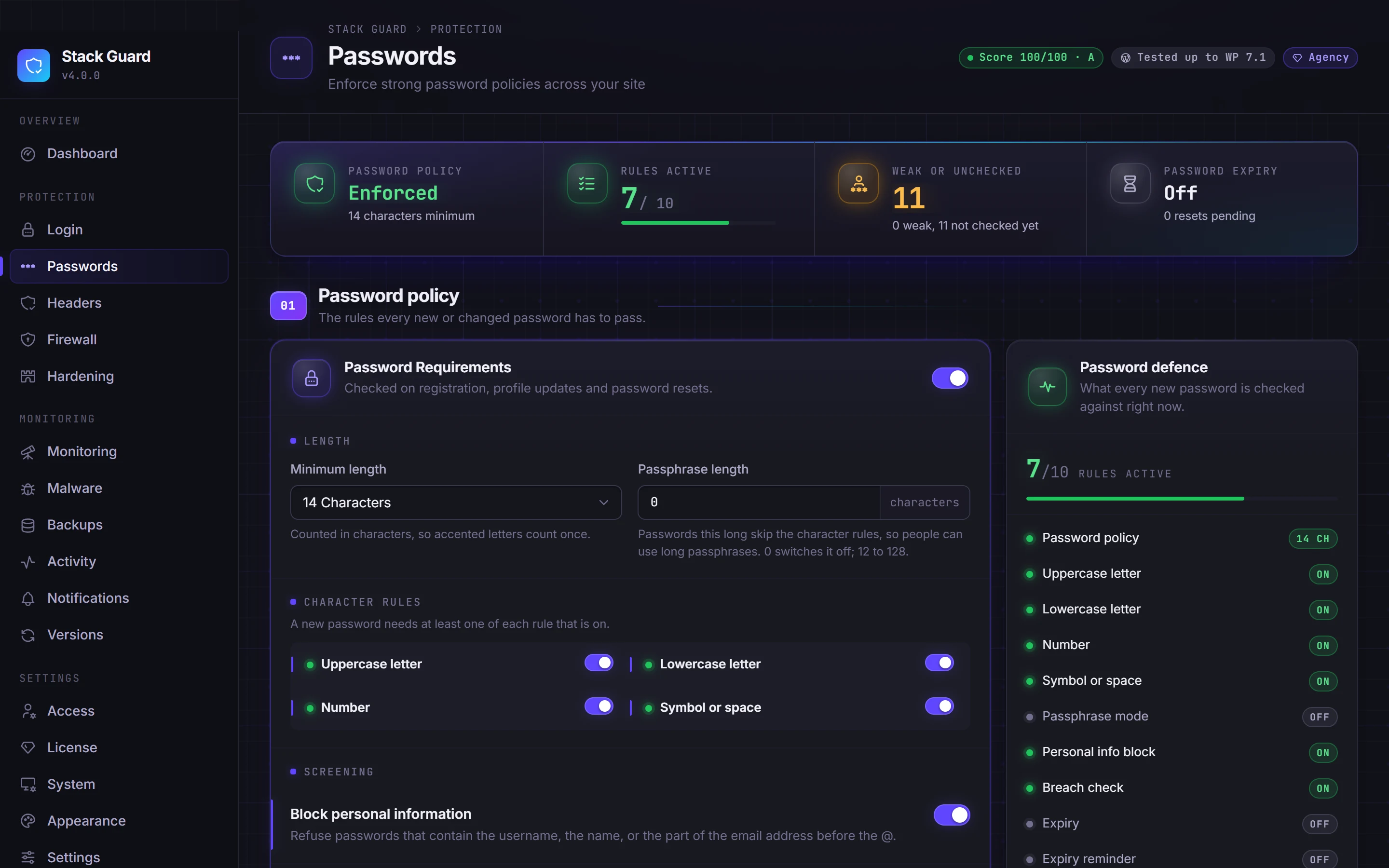
Hidden sign-in, two-factor, lockouts, a real firewall, hardening and browser security headers.
02 / Detect
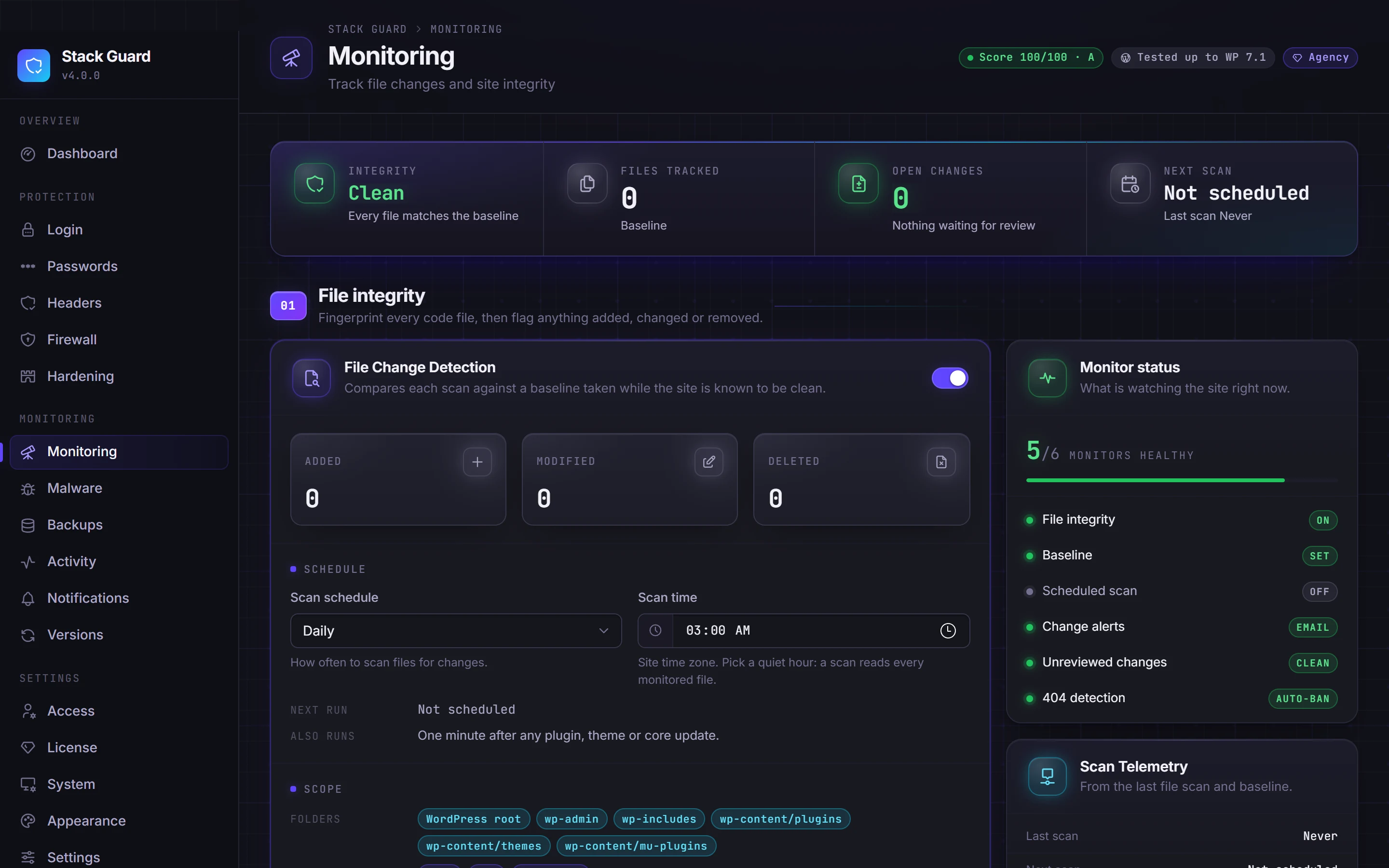
See trouble the moment it starts.
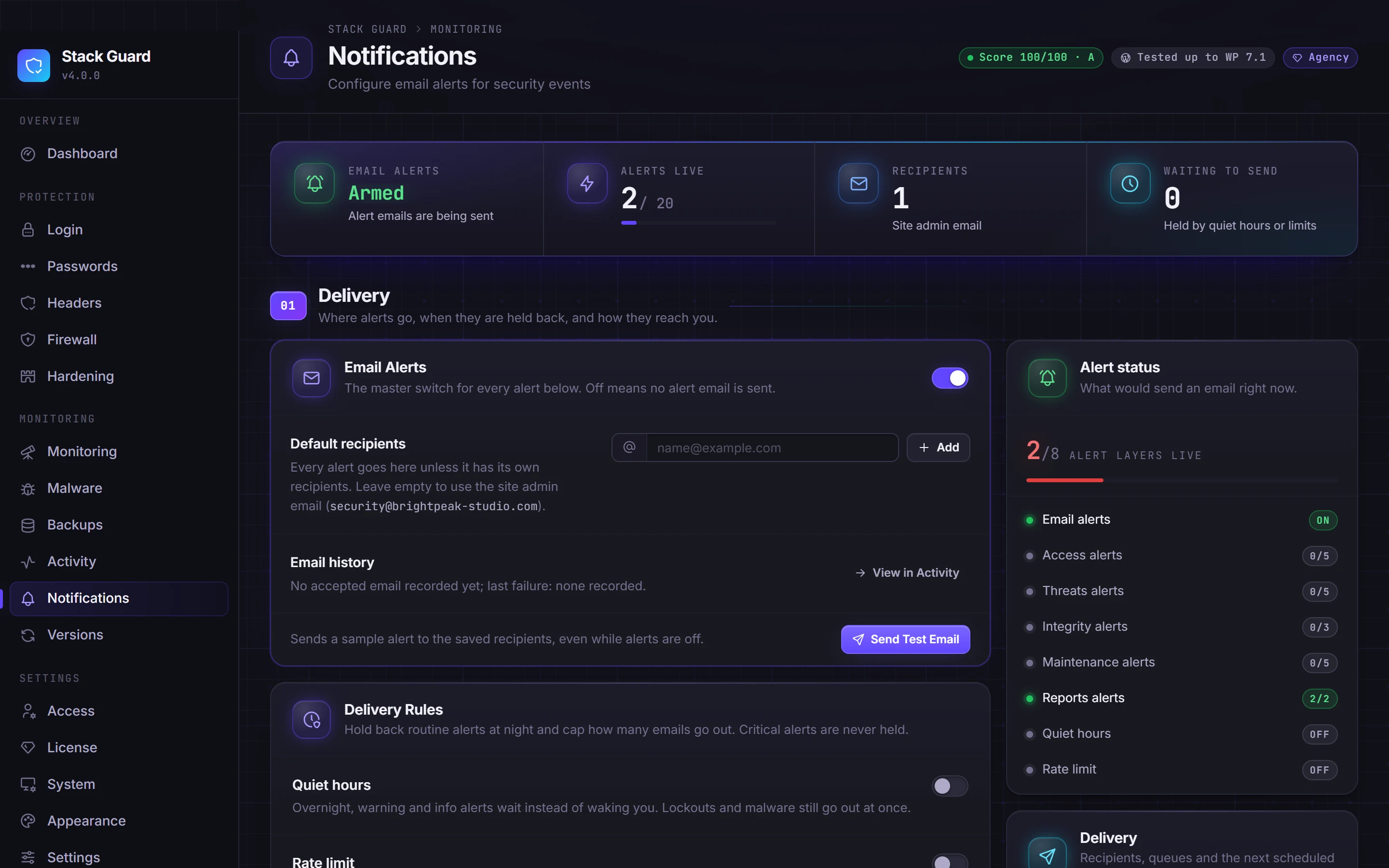
Malware scans, outdated plugin checks, file change monitoring, probe detection, an activity log and alerts that are worth reading.
03 / Recover
Undo the worst day in one click.
Backups that are verified before they count, and restores you can keep or roll back.
04 / Manage
One clear screen for all of it.
A security score, plain-language docs in the plugin, user security at a glance, compatibility checks and white label for agencies.
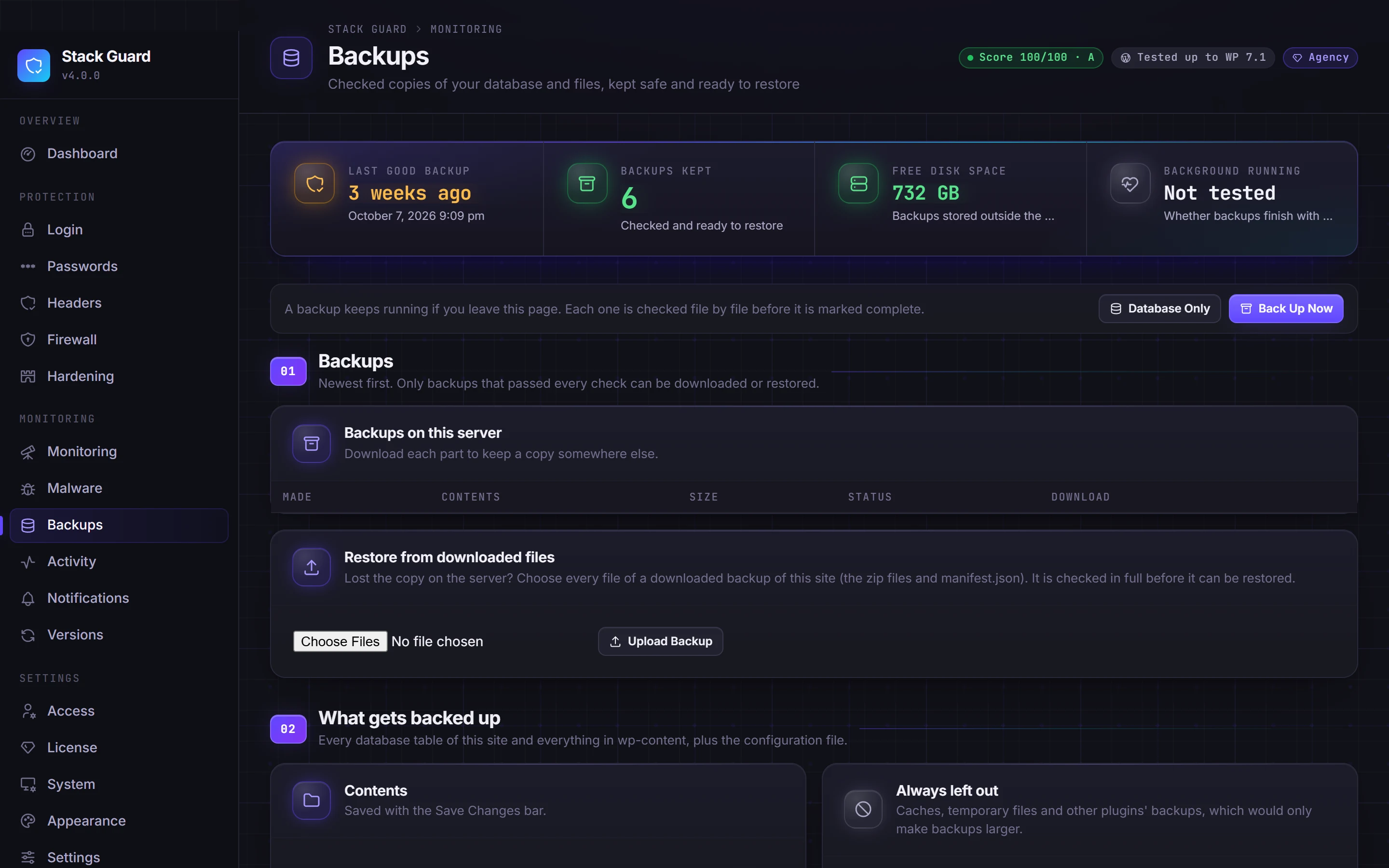
Backups, done properly
A backup only counts once it is checked.
Most backup tools tell you a backup finished. Stack Guard tells you it works. Included on every plan, Free too.
- STEP 01
Back up in small steps
Full or database-only. Runs in short resumable steps with a watchdog, so big sites and cheap hosting both finish.
- STEP 02
Verify everything
Every file entry, every SQL statement and row count, and a checksum for every part. Then a test restore of the database.
- STEP 03
Restore safely
One click. The restore is staged and checked before anything live changes, then swapped in.
- STEP 04
Keep or roll back
Live with the restore for up to 7 days. Not right? Roll back to exactly how the site was.
Plans
Start free. Grow into Pro.
One yearly price that never changes at renewal.
Free
$0
Unlimited sites, forever
- Login protection and two-factor
- Brute force lockouts
- Firewall bans and allow list
- Hardening and core headers
- Malware scans
- Verified backups and restore
Pro
Most popular$95
a year for 1 site, or 5 sites for $145
- Everything in Free
- CAPTCHA and session controls
- Scheduled scans and outdated plugin checks
- Firewall rules and country blocking
- CSP and HSTS
- Alerts, digests and 90-day log
Agency
$245
a year for 25 sites, down to $5.95 per site
- Everything in Pro
- 25, 50, 100 or unlimited sites
- White label emails
- Settings export and import (every plan) to copy a setup
- One licence for every client
Why Stack Guard
Why developers choose this WordPress security plugin
Security you can trust to stay out of your way, priced so you can put it on every site.
One price, forever
Renewals cost what the first year cost. No intro price that doubles, no surprise at renewal time.
No cloud dependency
Core protection runs on your own server. If an outside service goes down, your site stays protected.
Never locks you out
If a licence lapses, Pro features switch off cleanly. Sign-in protection and two-factor keep working on every plan.
Explains itself
45 plain-language help topics ship inside the plugin, right next to the settings they explain.
Knows your setup
A built-in compatibility check spots proxies, caches, CDNs and other security plugins before they cause trouble.
Built by an agency
Stack Mode built Stack Guard to protect the client sites it looks after, so every feature is shaped by real agency work.
For developers
Security you can read, script and trust
Stack Guard is GPL software that runs entirely on your server. No account, no proxy, no black box: every feature has a How It Works note for developers in the docs.
$ wp stack-guard restore status
Check, keep or roll back a restore from WP-CLI
define( 'SMG_SAFE_MODE', true );
Recovery switches in wp-config.php, no database edits
do_action( 'smg_backup_purge_caches' )
29 documented actions and filters
Settings tab: Export / Import
Move a tested setup to the next site; secrets stay behind
For agencies
Every client site. One licence. Your name on it.
Agency plans put Pro on 25 sites up to unlimited, and add white label emails. Settings export and import, in every plan, copies one setup to the next site.
| Plan | Sites | Per year | Per site |
|---|---|---|---|
| Agency 25 | 25 | $245 | $9.80 |
| Agency 50 | 50 | $395 | $7.90 |
| Agency 100 | 100 | $595 | $5.95 |
| Agency Unlimited | Unlimited | $795 | Fair use |
What is the best free WordPress security plugin?
The best free WordPress security plugin is one that protects sign-in, blocks attacks and helps you recover, without nagging you to upgrade for the basics. Stack Guard Free includes a custom login address, two-factor authentication, brute force lockouts, hardening, firewall bans, malware scans and verified backups with one-click restore, with no key, no sign-up and no time limit.
What does Stack Guard Pro add?
Pro adds automation and depth: CAPTCHA, scheduled scans, outdated plugin and theme checks, file change monitoring, custom firewall rules, country blocking, Content Security Policy and HSTS, the user security console, the full alert catalogue with daily and weekly digests, and 90 days of activity history. Pro is $95 a year for one site or $145 for five.
Will a WordPress security plugin slow my site down?
Stack Guard does its work at the points WordPress already stops for, like sign-in and admin requests, and every feature is off until you switch it on. Backups run in small resumable steps so they do not tie up the server.
Does Stack Guard work with Cloudflare, caching plugins and my host?
Yes. Stack Guard is built to sit behind Cloudflare and reads the real visitor address through a trusted proxy setting. Its compatibility check looks for caching, CDNs, other security plugins, page builders and email problems, and tells you what to change.
Can I use Stack Guard alongside Wordfence or another security plugin?
You can, but two plugins doing the same job, such as two firewalls or two login protections, can conflict. Stack Guard's compatibility check spots other security plugins and tells you which settings overlap, so you can switch one side off.
What happens if my licence expires?
Pro features switch off cleanly, your settings are kept, and sign-in protection, two-factor and the backups you already made keep working. Renew any time and everything comes back as you left it.
Can I use Stack Guard on client sites?
Yes. Agency plans cover 25, 50, 100 or unlimited sites, add white label so alert emails carry your agency's name and logo, and work out from $9.80 down to $5.95 per site a year.
Your site deserves a real guard.
Install Stack Guard Free in under a minute. Upgrade when you are ready.